







Your New Best Friend Isn’t a Gadget—It’s the One That Fits Your Reading Life Perfectly
You know that feeling when you’re torn between a device that does everything and one that does one thing beautifully? That’s the tablet vs. e-reader debate in a nutshell. I’ve had both in my bag, on my nightstand, and covered in sand at the beach, so let me walk you through what I wish someone had told me before I spent my money.
I remember sitting in a café, watching someone tilt their screen away from the window and squint. They were reading on an iPad, brightness cranked up, battery icon already in the red. Right next to them, another person was lost in a paperback-sized Kindle, screen looking exactly like a page of a book, and they hadn’t charged it in what must have been weeks. That image stuck with me, because it’s the heart of the whole thing: tablets and e-readers are not rivals, they’re cousins who went to wildly different colleges.
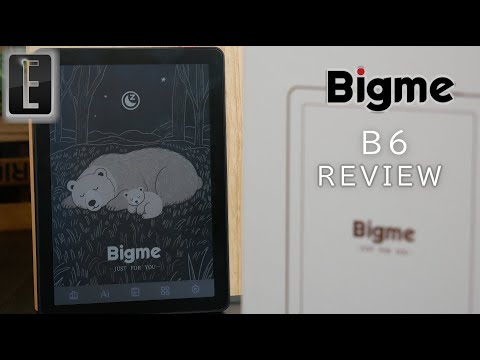
Let’s talk about the Kindle first, because if you’re a bookworm, it’s probably already in your Amazon cart. An e-reader like the Kindle Paperwhite or the Kobo Clara uses e-ink, a screen technology that physically moves tiny black and white particles to form text. There’s no backlight in the traditional sense—instead, the light is directed from the edges across the surface, which means no glare in sunlight and a night-time warm light that feels like a bedside lamp. Battery life on these things is the real magic trick. I once took a Kindle Oasis on a two-week trip, read every single night, and never plugged it in once. You’re measuring in weeks, not hours.
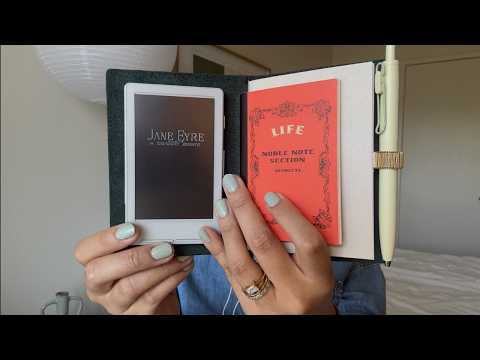
But here’s the thing: an e-reader is a single-purpose device. It’s a digital library in your hand, and that library is often deeply tied to an ecosystem. Amazon’s Kindle store is a universe of its own, while Kobo plays nice with local bookstores and library borrowing through Overdrive. If you’re into taking notes on non-fiction, there’s even the Kindle Scribe, which gives you a pen interface on an e-ink canvas—no backlight fatigue, no distractions. That’s the appeal: you open it, you read, you disappear into the story. No buzzing notifications, no app updates. It’s the device that respects your attention span.
Now, shift gears to a tablet. An iPad, a Samsung Galaxy Tab, a Fire tablet—they’re the Swiss Army knives of personal tech. You’ve got a color screen, apps for everything, a camera, video streaming, and yes, reading. The iPad’s retina display is stunning for graphic novels, magazines, and PDFs. If you’ve ever tried reading a cookbook on an e-reader, you know the pain of black and white beetroot photos. A tablet makes those recipes pop. And if you’re someone who reads at night with the lights off, the tablet’s backlight and dark mode let you read without waking a partner, though the blue light situation means you’ll want to use True Tone or night shift features to keep your sleep from getting wrecked.
The trade-off is battery life. With a tablet, you’re plugging in every day or two. And reading on a glossy LCD in direct sun is a staring contest with your own reflection. I’ve tried it poolside, and after ten minutes I gave up and went inside. Tablets are heavier too—holding an 11-inch iPad Pro in one hand while lying down requires a pillow prop system that occasionally ends with a thud on your face. Not ideal.
But here’s where the lines blur in a wonderful way. The Kindle app on an iPad works gorgeously. You can switch from a magazine on Apple News to your novel, then jump into a web browser to look up a historical detail, all without putting the device down. For students and academics, a tablet is the obvious go-to because it handles annotations, split-screen, and research tools that an e-reader simply can’t touch. And if you’re a parent, a Fire tablet with Amazon Kids+ turns into a durable learning and reading hub that survives a toddler’s wrath—try that with a Paperwhite and you’ll be ordering a new screen.
So how do you choose? I always ask my friends this: do you already spend your day staring at screens and need a place where your eyes can rest? Get an e-reader. It’s the ultimate single-purpose escape pod. I’ve watched people with eye strain rediscover the joy of reading for hours because the e-ink screen tricks the brain into thinking it’s paper. The lack of notifications means you’re not one tap away from Instagram. You just read.
But if you’re the kind of person who wants a device that can replace a laptop for light tasks, handle comics, and still be your bedtime book, a tablet is the right call. I’ve seen artists use the iPad as a sketchbook in the morning, a Netflix screen at lunch, and an e-reader at night—all on one charge. The versatility is wild. Just don’t expect that two-week battery miracle.
Price is another friendly nudge. A basic Kindle costs less than a fancy dinner for two, and the entry-level iPad is a solid investment but definitely pricier. You could get both an e-reader and a budget tablet for less than a high-end iPad, and I know several people who swear by that combo. They do all their serious reading on the Kindle, then switch to the tablet for magazines, PDFs, and web browsing. They’re not competing; they’re complementing.
Ultimately, the best device is the one that makes you read more. I’ve lent my old Paperwhite to a friend who hadn’t finished a book in years, and she messaged me three days later having devoured two novels. She said, “It just disappears in my hand.” That’s the dream. Whether it’s a library of e-books on a feather-light e-reader or a vibrant tablet that lets you annotate, watch, and create, the right gadget is out there. Think about where you read most—sunlit café, cozy bed, commute on a bouncing train—and let that guide you. You’ll know when you’ve found your match because you’ll look up and realize you’ve been reading for two hours without even noticing the device in your hands. And that, my friend, is the whole point.